
Skip to content

How does the P&L App work for Consultants

How does the P&L App work?

If you haven't used the Profit and Loss App before, below is a quick overview depending on who is ordering and who is paying. Choose the appropriate option below and follow the instructions.

Follow these steps when an Employment Consultant submits the referral and the agency funds the Centrelink SU580 report via Purchase Order or Credit Card.

Watch this 60-second video walkthrough showing how the consultant portal handles referrals, Document Vault uploads, and Purchase Order billing.
  1. Visit the Request Report page.
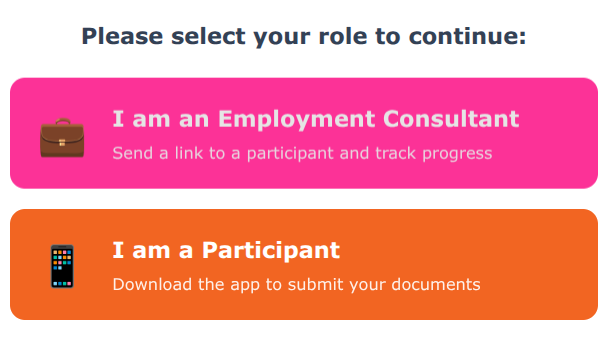
  2. Select 'I am an Employment Consultant' to open the 'Refer Profit and Loss Participant' form.
Complete the following sections:

  1. Consultant Details
  2. How are you going to pay?

Click Next

  1. Participant Details
  2. Reporting Period

Click Submit Request.

A payment request email will be sent to you, and an email will be sent to the Participant asking them to verify their details, place their order and upload documents.

Select your preferred agency payment method below:

Select Purchase Order as the billing method and enter your official PO Number. Entering a valid PO number greenlights immediate report processing without requiring a credit card at your desk. An unpaid Tax Invoice will be automatically emailed to your accounts department.
Select Credit Card as the billing method to proceed to secure Stripe Checkout. Enter your corporate Visa, Mastercard, or AMEX details to pay instantly. A paid Tax Invoice with receipt confirmation will be emailed directly to you.
An SMS and email are sent to the Participant with a secure link to their Document Vault. They simply snap photos of up to 4 receipts, sales logs, or bank statements.
Our certified bookkeepers review the extracted figures against Centrelink guidelines to ensure complete reporting compliance.
The final Profit & Loss PDF and Tax Invoice are automatically dispatched to both you and your Participant within 48 hours. You can also download them anytime from your consultant portal dashboard.

Ideal for self-funding Participants or sites operating a direct participant workflow. Zero consultant involvement required!

[Overview Video Placeholder - Option 2 Coming Soon]

Hand the Participant the desk card or ask them to scan the QR code linking directly to pnl.allsorted.au.
The Participant snaps photos of up to 4 business receipts, sales logs, or bank statements and drops them directly into their secure Document Vault.
The Participant pays the single report fee directly via Card or splits it into 4 interest-free payments via Afterpay. The fee is 100% tax-deductible for their micro-business.
Our certified bookkeepers compile and verify the report. The completed SU580 PDF is delivered directly to the Participant's email within 48 hours for immediate Centrelink submission.

Follow these steps when a Participant initiates their own request and routes a payment request directly to their Employment Consultant.

[Overview Video Placeholder - Option 3 Coming Soon]

The Participant opens pnl.allsorted.au/start, enters their business details, and inputs their Employment Consultant's official email address.
The Participant uploads their 4 receipts or bank statements directly into their secure Document Vault.
An automated email and Unpaid Tax Invoice are sent directly to the Employment Consultant. The consultant logs into pnl.allsorted.au/pnl-requests to attach a Purchase Order (PO) or pay via Card.
Once the PO is attached, our certified bookkeepers review the Document Vault files and dispatch the finished Centrelink SU580 report to both the Consultant and Participant within 48 hours.

Below are our current services and pricing.

Live Service Tiers All prices include GST
Basic Report i
Pricing currently offline
Amendment i
Pricing currently offline
Assisted Report i
Pricing currently offline

Still, have questions?

Can’t find the answer you’re looking for? Please chat to our friendly team.